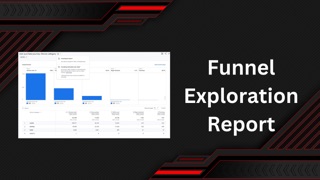
Behavioral modeling is now available in any exploration or report that includes paths and funnels in Google Analytics 4. Get a complete view of performance across the entire path to conversion!
Tutorial to Build Funnel Customer Journey Report.
Funnel Report in GA4 for Behavioral Pattern of the Users
Funnel report is used to optimize your consumer journey on website. This report will help you to find drops in your customer experience, funnel and journey. It is best use to check the path of consume to the desire outcome.
For D2C business website the steps can be from session view to purchase. Similarly for B2B business website it can be from landing page to the form submit event. For SAAS model business website it can be from Landing page to the demo page.
Any one can easily draft step by step funnel journey with the help of Exploration reports. Follow these tutorial to build your Funnel Report.
- Open Explore tab from vertical menu of GA4 to get Exploration window
- Click on Funnel Exploration to start building a Funnel Behavioral Modeling.
- Check Technique – Funnel Exploration, Visualization – Standard Funnel and drag & drop your segments on segment comparison.
- Use Steps to build your funnel in a systematic manner as shown in this example.
- Select your dimension in breakdown, by just drag & drop from variable menu dimension to breakdown Tab Menu.
- Ahaa!!! Your report is ready to view.
Path Exploration Report in GA4 – Click Here